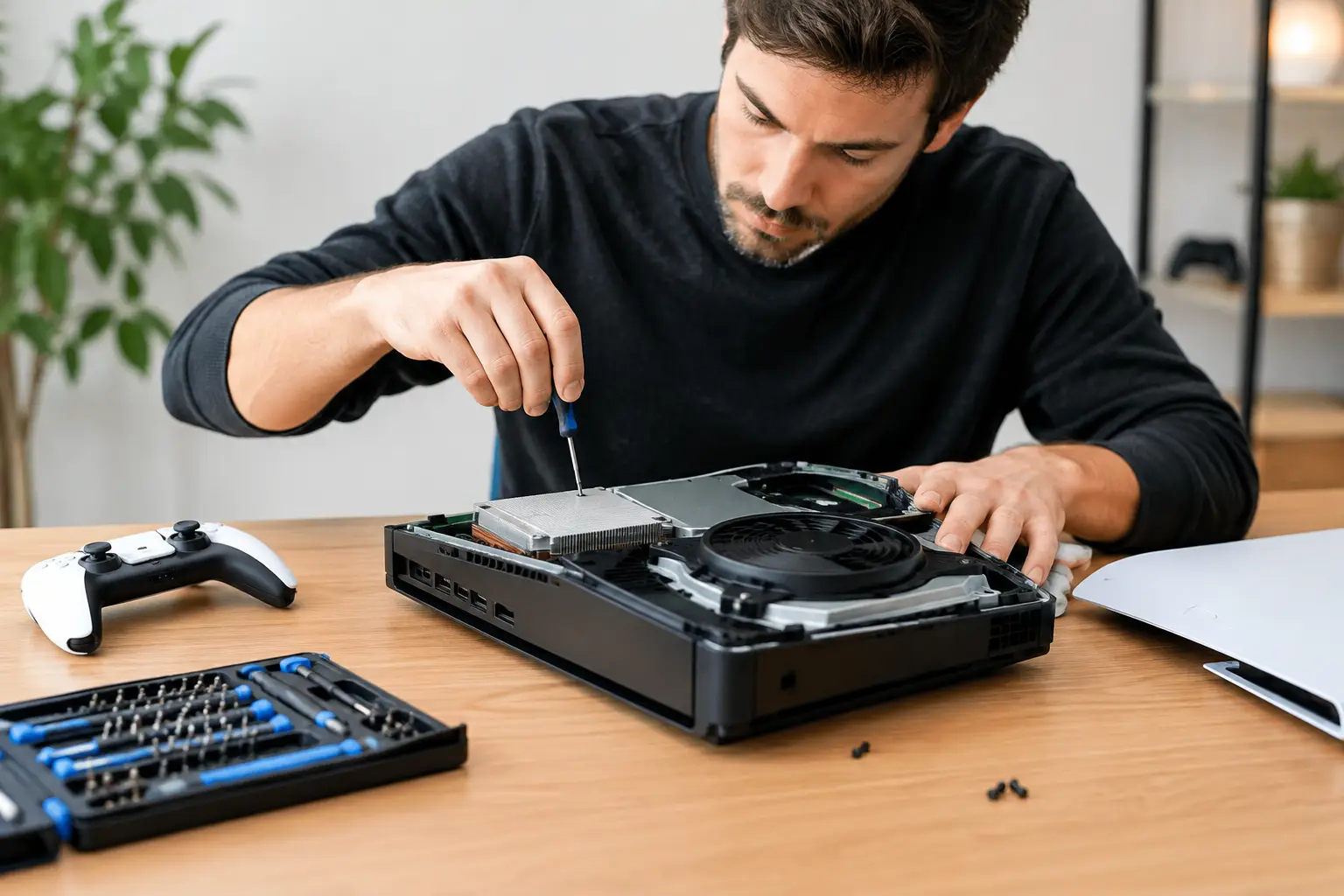

A console that suddenly shows a black screen, shuts down mid-game, or refuses to charge is not automatically finished. The right console repair can cost far less than replacing a PS5, Xbox, or Nintendo Switch – especially when the problem is one damaged port, worn fan, failing battery, or small board component.
The catch is that not every repair shop diagnoses consoles the same way. Some shops only replace obvious parts. That works for a cracked shell or a worn controller stick, but it does not solve every HDMI, power, or overheating failure. A proper diagnosis identifies what failed, what caused it, and whether the repair makes financial sense before work begins.
Common Console Problems That Are Worth Repairing
Gaming consoles take more abuse than most electronics. They are moved between rooms, packed for trips, plugged and unplugged repeatedly, and often run for hours in warm entertainment cabinets. Many failures look serious from the outside but are repairable.
PS5 and Xbox HDMI port damage
A loose HDMI cable, a console knocked from a shelf, or a tight cable pulled at the wrong angle can damage the HDMI port. Typical signs include a black screen, flickering video, distorted picture, or a message saying there is no signal even though the TV and cable work with another device.
An HDMI port repair is not just a matter of removing a broken connector and fitting a new one. The port is soldered directly to the motherboard. If pads beneath the port are torn or nearby filters and chips are damaged, the repair requires micro-soldering and board-level testing. Replacing the port without checking the surrounding circuit can leave you with the same no-display problem.
Overheating, loud fans, and random shutdowns
If your Xbox or PlayStation sounds like it is trying to take off, gets unusually hot, or turns off during games, dust buildup may be part of the issue. But cleaning alone is not always the answer. A weak cooling fan, dried thermal material, blocked heatsink, sensor fault, or power issue can produce similar symptoms.
Opening a current-generation console without the right tools can create new problems, including stripped screws, torn cable connectors, or damaged shielding. A technician should inspect the cooling system and test the console under load instead of assuming that every overheating issue needs the same fix.
Nintendo Switch charging and Joy-Con issues
A Nintendo Switch that will not charge may have a worn USB-C port, a damaged charging circuit, a bad battery, or a dock-related problem. Because the charging port is mounted to the main board, it often needs board-level work rather than a quick plug-in replacement.
Joy-Con drift is another common frustration. Sometimes a stick replacement is the sensible repair. Other times, connection rails, internal flex cables, or power problems are involved. The goal is simple: determine which part is actually failing so you do not pay to replace a part that was never the issue.
Why Board-Level Console Repair Matters
There is a major difference between replacing a module and repairing a board. A module repair means swapping a part designed to come out, such as a fan, hard drive, controller stick, or battery. Board-level repair means finding and replacing a failed component on the motherboard itself.
That distinction matters most with HDMI ports, charging circuits, liquid damage, and power failures. A shop without micro-soldering capability may label the motherboard “unrepairable” and recommend replacing the whole console. Sometimes replacement really is the better call. But sometimes one connector, fuse, capacitor, or damaged trace is the reason an otherwise good console will not turn on or display video.
Component-level work requires magnification, controlled heat, accurate testing equipment, and steady hands. More importantly, it requires diagnosis. A new HDMI port will not fix a failed HDMI encoder chip. A new charging port will not fix corrosion or a shorted charging circuit. Parts swapping without testing can waste money and time.
At BuyCellFix, complex console issues can be evaluated beyond the standard parts-swapping approach. That gives owners a real answer before they decide whether to repair, replace, or sell the console as-is.
When Repair Is the Better Choice
Repair is usually worth considering when the console is otherwise in good condition, the failure is isolated, and the cost is comfortably below the price of replacement. This is especially true for newer consoles, special editions, or systems with games, save data, and accessories already tied to them.
It can also be the smarter move when you know what happened. If your PS5 worked until the HDMI cable was yanked, the likely problem is very different from a console that has suffered repeated liquid exposure or multiple failed repair attempts. The history helps a technician narrow down the fault and gives you a clearer idea of the likely repair path.
Do not ignore the value of convenience either. Replacing a console can mean transferring accounts, downloading large game libraries again, buying accessories that are not compatible, and trying to recover saved data. A successful repair gets you back to the console you already know.
When Replacement May Make More Sense
Not every console should be repaired. Severe corrosion, extensive liquid damage, a heavily damaged motherboard, or a console with several unrelated failures can push the repair cost too high. Older systems can also reach a point where parts availability and overall condition make replacement the practical option.
A trustworthy shop should tell you that directly. No one benefits from putting money into a repair that does not give you a reasonable result. Free diagnostics and an upfront quote matter because they let you make the decision with the facts in front of you, not after unexpected charges appear.
If replacement is the better route, a tested refurbished console can be a better value than an unknown device from a local listing. Look for a device that has been inspected, is not blacklisted where applicable, and comes with a clear warranty. If you decide not to repair, a damaged console may still have resale or parts value.
What to Do Before Bringing in Your Console
Start with the easy checks, but do not force anything. Test a known-good HDMI cable and TV input if you have a display problem. Try a different power outlet for a no-power issue. For a Switch that will not charge, test with a known-good compatible charger. If the console is overheating, turn it off and let it cool rather than continuing to play through shutdowns.
Avoid repeated hard resets, cheap replacement chargers, and aggressive cleaning with compressed air pushed directly into vents. Do not keep inserting and removing a cable from a loose HDMI or USB-C port. Each attempt can bend pins further or tear solder pads from the board, turning a straightforward repair into a more involved one.
Bring the console, relevant power cable, dock, or controller when the problem depends on those accessories. Explain exactly what happened before the failure and what the console does now. Details such as “the screen went black after moving the console” or “it only shuts off after 20 minutes” are useful diagnostic clues.
Questions to Ask Before Approving Console Repair
You do not need to be a technician to ask good questions. Ask whether the shop has confirmed the fault or is making an initial assumption. Ask whether the repair involves a part replacement or board-level work, what the quoted price includes, and whether the work is covered by a warranty.
You should also ask about turnaround time and whether your data is likely to remain intact. Most hardware repairs do not require access to your account, but storage or board failures can affect saved data. A repair shop should be clear about that risk instead of making promises it cannot keep.
For local gamers, walk-in diagnostics remove much of the guesswork. You can get the problem assessed, hear the options, and decide whether a repair is worth it without sending your console away and waiting weeks for an answer.
A dead display or charging failure does not have to end your game library. Get the console checked before replacing it – a precise repair may be all it needs to get back in the match.