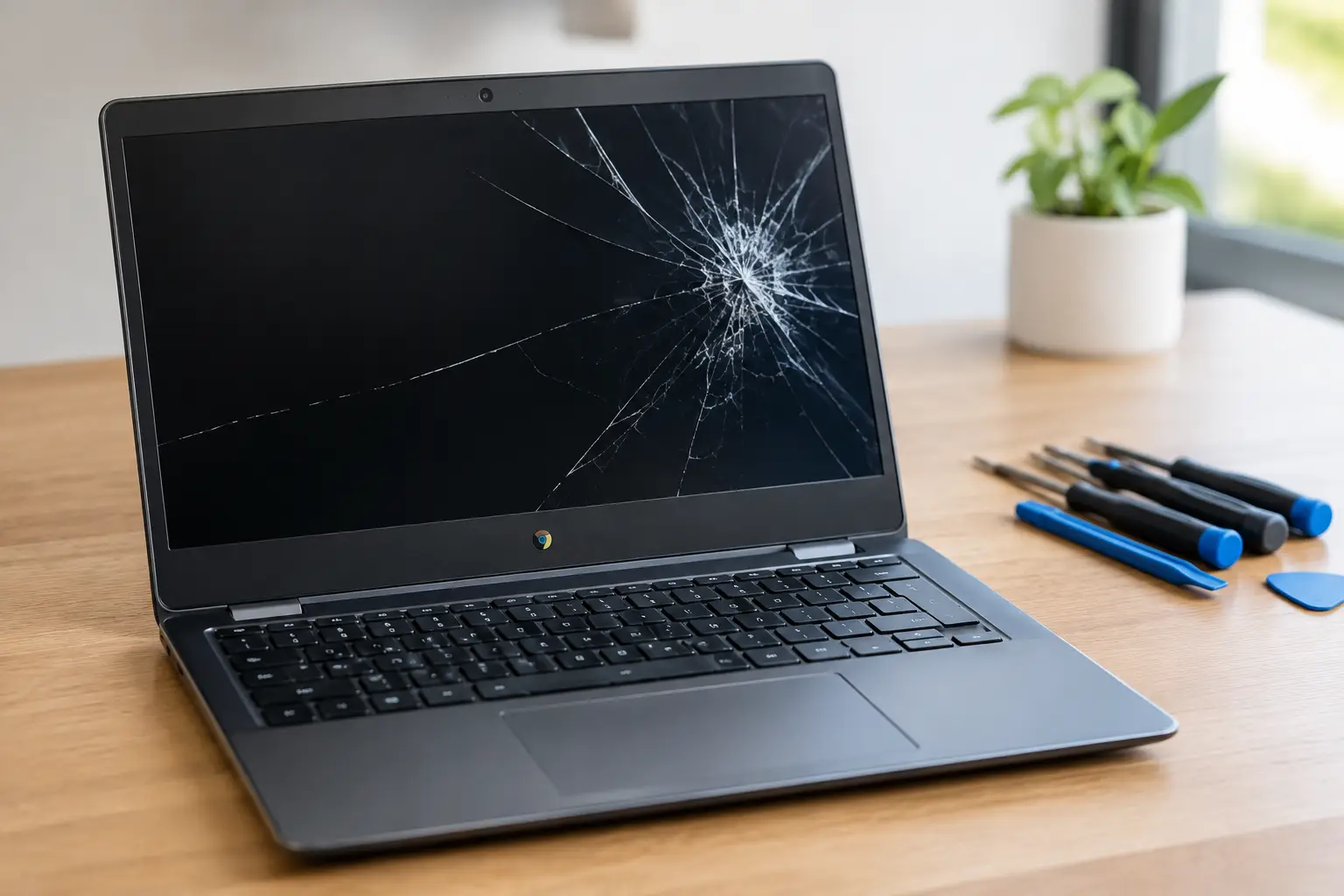

A Chromebook can look like a lost cause after one drop: a web of cracks, black blotches spreading across the panel, or a screen that lights up but shows nothing useful. A réparation écran Chromebook cassé is often more practical than replacing the entire laptop, but only if the damage is limited to the display assembly and the device still makes financial sense to keep.
The key is getting the model and the failure diagnosed before anyone quotes a flat price. Chromebook screens are not interchangeable just because they share the same size. Resolution, connector position, touch support, mounting brackets, and panel type all matter. The right repair is a matched part installed cleanly, with the hinge area and display cable checked at the same time. No guesswork, no surprise add-ons.
What a broken Chromebook screen can actually mean
A cracked outer surface does not always tell the full story. On many Chromebooks, the glass and LCD are bonded together. If the image has lines, ink-like spots, flickering, dead areas, or no picture at all, the LCD panel has failed and needs replacement. A protective screen film will not fix it.
If the picture looks normal but touch commands no longer work, the issue may be the touch digitizer rather than the LCD. On a touchscreen model, the repair may require replacing the complete screen assembly. That usually costs more than a standard non-touch panel, but it restores both the display and touch function correctly.
There is another possibility: the screen is fine, but the display cable, hinges, or motherboard display circuit is damaged. This is common after a hard impact near a hinge or after the laptop has been forced open. Replacing a good panel would not solve that problem. A proper diagnostic separates a panel failure from a cable or board-level issue before parts are ordered.
When Chromebook screen repair is worth it
Repair is usually the sensible move when the Chromebook starts normally, charges, connects to an external monitor, and has a relatively recent processor or enough storage for school and everyday work. It is also a strong option when the laptop contains files, school accounts, or managed settings that would take time to move to another device.
The decision changes when the device has multiple failures. A broken screen plus a weak battery, damaged hinges, liquid exposure, or charging trouble can push the total close to the value of a tested refurbished replacement. Age matters too. An entry-level Chromebook that is near its automatic update expiration date may not deserve a major investment, even if the screen can be replaced.
That does not mean every older Chromebook should be discarded. If it meets your needs and the repair is straightforward, a new display can buy useful time at a lower cost than replacing it. The honest answer depends on the exact model, condition, and repair total, not a one-size-fits-all promise.
Check the update status before spending money
ChromeOS devices receive updates for a defined period. Before approving a screen repair on an older model, check its automatic update expiration status in the Chromebook settings or by confirming the model with a technician. A functioning laptop that will soon stop receiving security updates may be better replaced than repaired.
For a newer school or work Chromebook, a screen replacement is often the cleanest solution. You keep the device you know, avoid setting up another machine, and reduce unnecessary electronic waste.
What affects the cost of a réparation écran Chromebook cassé
The biggest cost factor is the replacement panel. A basic 11.6-inch non-touch HD display is generally simpler and less expensive than a high-resolution, touchscreen, or convertible-model assembly. Some models use readily available panels; others need a model-specific part that takes longer to source.
Labor also varies with the design. On certain Chromebooks, a technician can remove the bezel and panel with minimal disassembly. Others require more careful work around adhesive, antenna wires, fragile bezels, or the full top cover. Bent hinges should be dealt with during the same visit. Installing a new screen while leaving a hinge that is pulling on the lid can lead to another break.
A clear quote should identify what is being replaced and whether the part is a standard compatible panel or an original-equivalent assembly. Ask whether touch functionality, resolution, webcam operation, and sleep-wake behavior will be tested afterward. Those details matter more than a low starting price that leaves room for hidden charges.
Protect your files before the repair
Most Chromebook files are stored in Google Drive, so signing into a replacement device is usually straightforward. Still, do not assume everything is backed up. Files in the Downloads folder, Linux files, Android app data, and locally saved photos may not be in the cloud.
If the Chromebook still turns on but the screen is unusable, connect it to an external monitor or TV with the appropriate cable or adapter. Once you can see the desktop, copy important local files to Google Drive or external storage. If you cannot get an image externally, a technician can assess whether the laptop is booting and whether the data is likely recoverable.
Avoid repeatedly forcing the lid open and closed to make the display work. That can worsen a loose cable or damaged hinge. Also skip DIY screen swaps unless you have the correct panel, tools, and experience handling small display connectors. A torn cable, cracked bezel, or wrong-voltage panel can turn a simple repair into a more expensive one.
What a proper Chromebook screen replacement looks like
The repair should start with the exact model number, not just the brand name. Technicians verify the screen size, resolution, touch configuration, connector type, and mounting style. They also inspect the lid, hinges, cable path, and frame for impact damage that could affect the new panel.
After installation, the display should be checked for brightness, color, dead pixels, backlight consistency, webcam alignment, Wi-Fi signal, lid closure, and touch response where applicable. The Chromebook should wake reliably after the lid is opened. These checks catch problems that are easy to miss when a repair is rushed.
At BuyCellFix, the process starts with a free diagnostic and an upfront quote. If the repair is not the smart financial move, you should hear that before spending money on parts. For customers in Laval, Montreal, and Vaudreuil-Dorion, walk-in service means you can get a clear answer locally rather than mailing a laptop away and hoping the final invoice matches the original estimate.
Repair, replace, or sell the Chromebook?
A repaired Chromebook is the right call when the rest of the device is reliable and the screen is the only real problem. Replacing it can make more sense when several components are failing, the device is near the end of ChromeOS support, or you need more speed and storage than the current model can provide.
If you choose replacement, do not leave the damaged laptop in a drawer. Even a Chromebook with a cracked display may have resale or parts value. Before selling or recycling it, sign out of your Google account, remove the device from your account list, and use Powerwash if you can access the settings. If the screen is unusable, ask for visible data-erasure handling before handing it over.
A cracked panel should not force you into a rushed purchase. Get the model checked, compare the repair against the device’s remaining useful life, and choose the option that gets you back to work or school without paying for problems you do not have.