
Your phone falls into a sink, pool, snowbank, or toilet. The next few minutes matter more than the brand of phone or its water-resistance rating. If you searched assécher smartphone après immersion, start here: turn it off, disconnect every cable, and do not test whether it still works by plugging it in.
A phone can survive being wet. What turns a wet phone into a dead phone is often electricity moving through moisture, followed by corrosion quietly spreading across connectors and the motherboard. Fast, careful action gives you the best chance of saving the device and the data on it.
Dry a smartphone after immersion: the first 10 minutes
Remove the phone from the liquid immediately. If it is charging, unplug the cable from the wall or power strip first if you can do so safely, then disconnect the phone. Do not keep pressing the power button, unlock it repeatedly, or connect it to a computer.
Turn the device off. On many phones, holding the side button and a volume button brings up the power-off screen. If the screen is unresponsive, do not force it through repeated restart attempts. The goal is to stop current from reaching wet components, not to get the screen working right away.
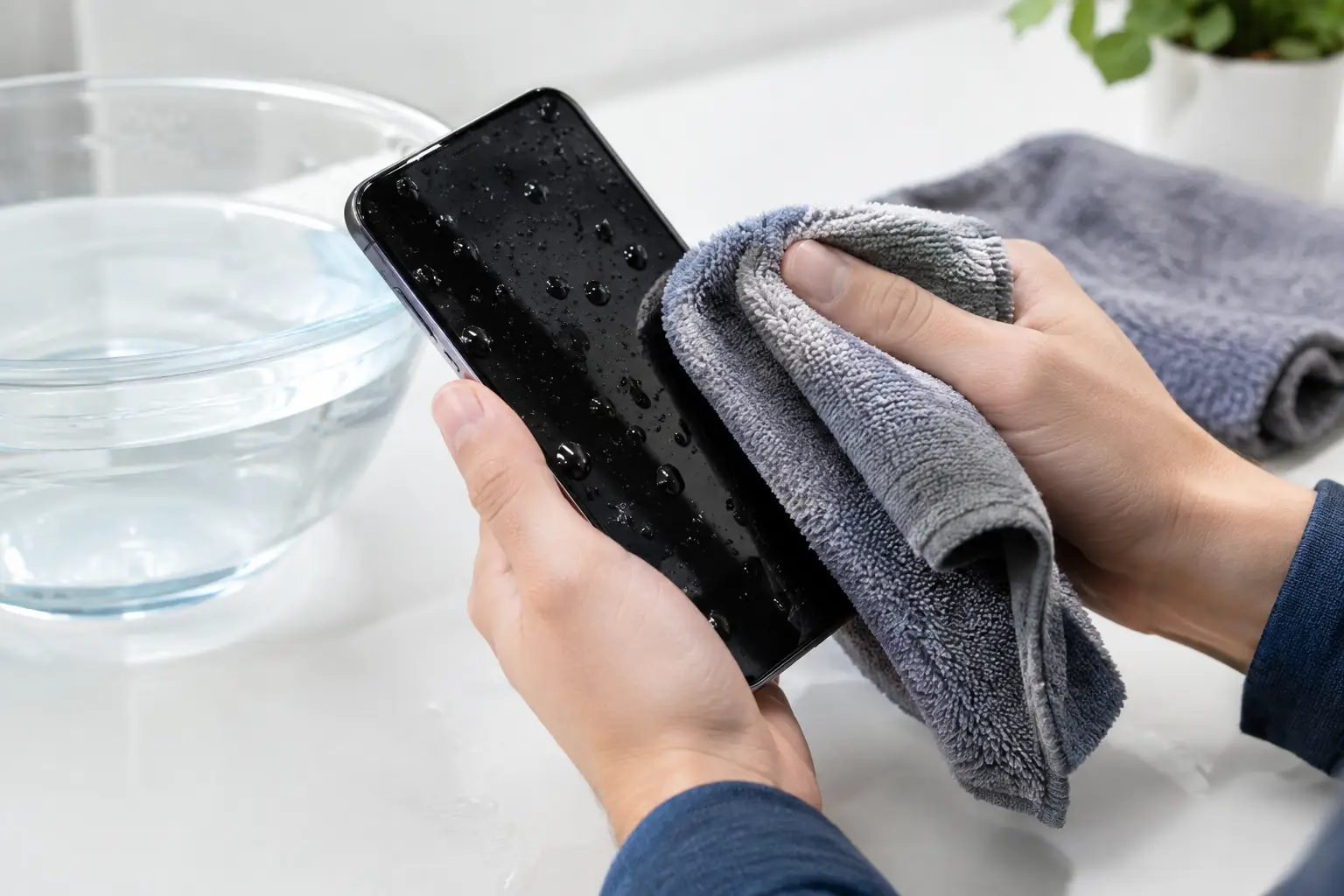
Take off the case, screen protector if water is trapped underneath it, and any removable accessories. Remove the SIM tray if your model has one. Then gently blot the outside with a clean, lint-free cloth. Keep the charging port pointed downward and lightly tap the phone against your hand to help free visible water. Do not shake it hard. That can drive liquid farther into the device.
If the phone was immersed in clean tap water for a second or two and has a current, intact water-resistance seal, the outcome may be good. But water resistance is not a lifetime guarantee. A previous drop, screen repair, worn adhesive, bent frame, or aging gasket can create an opening that lets liquid reach the internals.
What not to do with a wet phone
The internet is full of quick fixes that create bigger repair bills. Skip the shortcuts below.
- Do not put the phone in rice. Rice does not remove moisture from under shields, connectors, or chips. Dust and starch can also enter the charging port.
- Do not use a hair dryer, oven, radiator, or direct heat. Heat can damage the battery, screen adhesive, cameras, and internal seals before the inside is actually dry.
- Do not insert paper towels, cotton swabs, or tools into the charging port. Fibers can get stuck inside, and you can bend the delicate port pins.
- Do not charge it “just to check.” A wet charging port can cause a short circuit, while moisture deeper in the phone can damage the board.
- Do not rely on a moisture warning disappearing as proof that everything is fine. That warning may only detect moisture near the port, not inside the device.
A fan in a dry room is fine for surface moisture. Place the phone on an absorbent cloth with the port facing down and let air circulate around it. This is a temporary measure, not a substitute for internal cleaning after a serious immersion.
Fresh water, pool water, and salt water are different problems
The liquid matters. Clean water can leave behind minerals, but pool water, soapy water, coffee, juice, seawater, and toilet water are more urgent. They contain chemicals, sugars, salts, or contaminants that remain after the visible moisture evaporates.
Salt water is especially aggressive. It can corrode charging contacts, camera modules, flex cables, and board components rapidly. A phone that appears normal after being dropped in the ocean can fail days later because residue continues attacking the circuitry.
Sticky drinks create another issue: residue can hold moisture in place and cause buttons, speakers, and charging ports to fail. If your phone went into a pool, bath, drink, or salt water, do not wait overnight hoping it dries itself out. Get it assessed as soon as possible.
Why charging is the riskiest move
Most modern phones include safeguards, including liquid detection around the charging port. Those safeguards are helpful, but they do not see every drop of moisture on every circuit. Wireless charging is not automatically safe either. The charging coil and battery connections are inside the phone, where moisture may already be present.
When voltage reaches a wet area, it can create a short. Sometimes the phone shuts down immediately. Other times, it keeps working but develops symptoms later: rapid battery drain, random restarts, a dim screen, face recognition failure, muffled speakers, camera fogging, or a charging problem.
That delayed failure is why a phone should not be judged safe simply because it powers on after an immersion. Corrosion works after the emergency feels over.
When to bring a wet phone in right away
A professional diagnostic is the practical choice if the device was fully submerged, exposed to anything other than clean water, or has any sign of internal trouble. Bring it in promptly if it will not turn on, gets warm, shows lines or flickering on the display, has fog in a camera lens, will not charge, makes distorted audio, or reports a liquid-detection warning.
The same applies if the phone contains work files, family photos, authentication apps, or data that has not been backed up. Data recovery is often more realistic before corrosion spreads or repeated power attempts damage the board further.
At BuyCellFix, a technician can inspect the device, check for liquid indicators and corrosion, and give you a clear diagnosis before recommending a repair. For liquid damage, the right repair is not always a screen or battery swap. It may require board-level cleaning and micro-soldering work to restore damaged connections or components. That is different from replacing parts until something works – and it can prevent unnecessary replacement of the entire device.
Can you wait 24 to 48 hours before using it?
Waiting is better than charging immediately, but time alone does not remove contaminants. For a brief splash of clean water with no symptoms, leave the phone powered off in a dry, ventilated place for at least 24 hours. Keep the port facing down. If it starts normally afterward, back up your data immediately and watch for charging, speaker, camera, battery, and touchscreen issues over the next several days.
For a true immersion, especially in pool or salt water, 24 to 48 hours on a counter is not a reliable repair plan. Moisture can sit under metal shields and corrosion can begin long before the exterior feels dry. The best window for a successful cleanup is as soon as possible.
There is also a trade-off to consider. Opening a water-damaged phone may reveal that repair is not economical, particularly on an older device with existing battery or screen issues. A proper diagnostic lets you make that call with real information instead of spending money on parts that will not solve a board-level fault.
Protect your data once the phone is stable
If the phone powers on normally after drying and a technician confirms it is safe to use, back it up right away. Use your preferred cloud backup and save critical photos or documents somewhere separate. Liquid damage can return weeks later if corrosion was already present.
Avoid signing out, factory-resetting, or repeatedly entering passcodes while the device is unstable. Those steps can complicate data recovery. If your screen is damaged but the phone still runs, a technician may be able to help access the device safely without risking more damage.
A wet phone is not automatically a lost phone. Turn it off, keep power away from it, skip the rice and heat, and act faster when the liquid was dirty, salty, or sugary. The goal is simple: stop damage now so you still have a working device – and your data – tomorrow.